Role
Product Designer
Duration
2 weeks
Industry
Edtech
Team
3 Engineers
1 Lead UX Designer
1 Co-founder & Product Lead
OVERVIEW
Designing practice sets to help learners build interview-ready fundamentals
Airtribe is an ed-tech platform offering cohort-based courses across product management and engineering. Learners felt confident after sessions, but when it came to interviews, they struggled to apply what they learned. Practice Sets helped 35% of learners actively start practicing their fundamentals.
SOLUTION
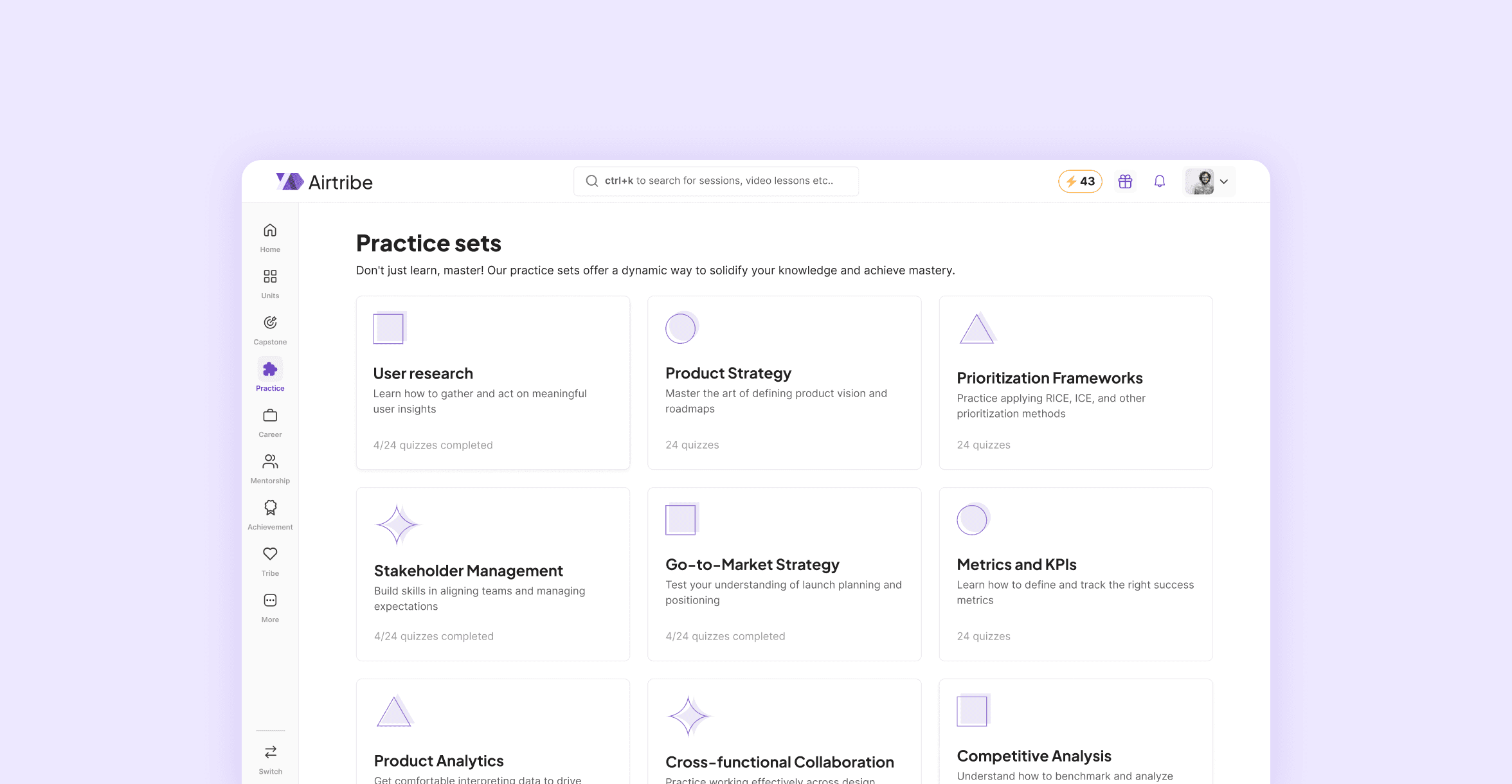
Practice Sets - A topic-based practice feature that helps learners actively test and strengthen their fundamentals before interviews.
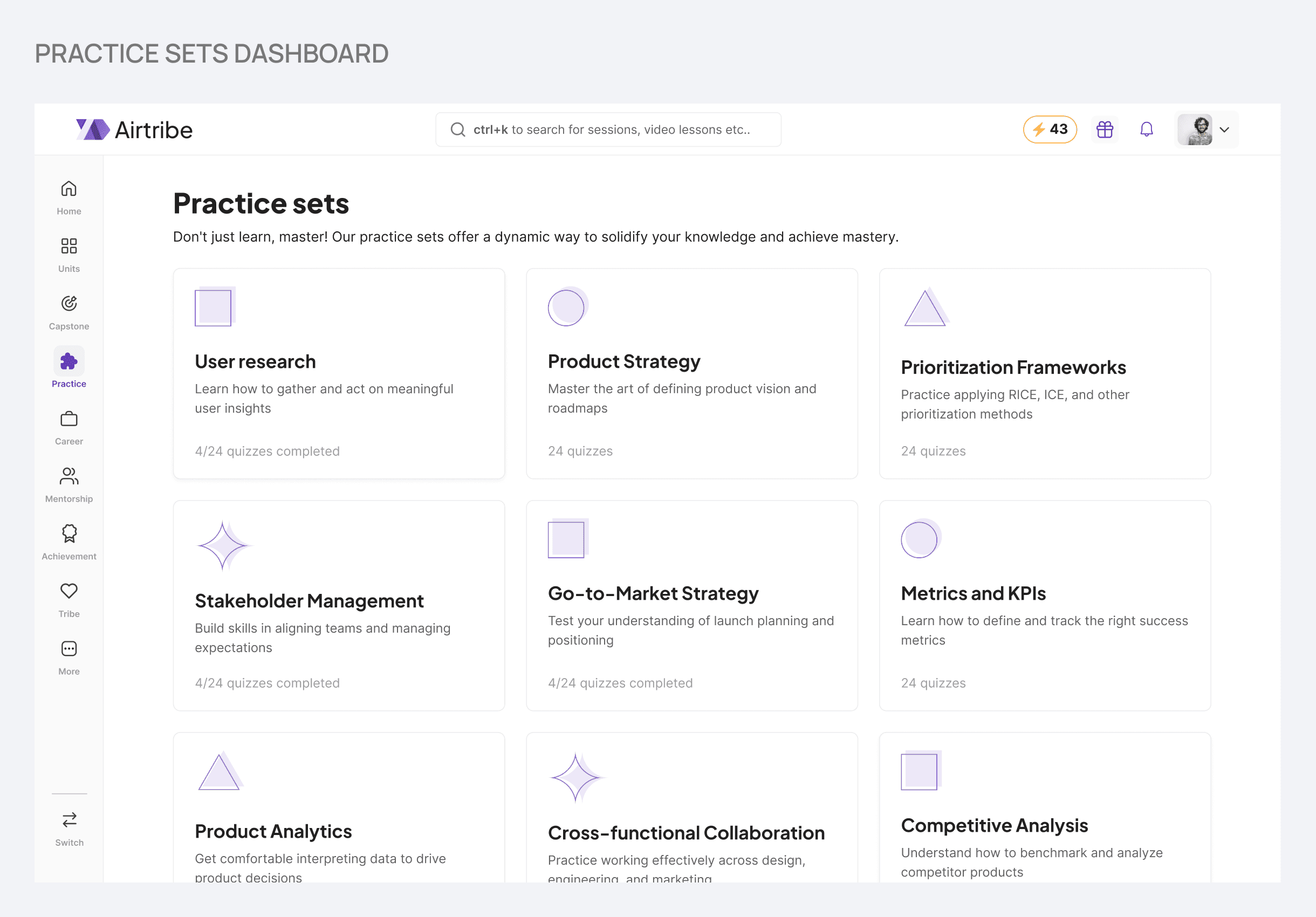
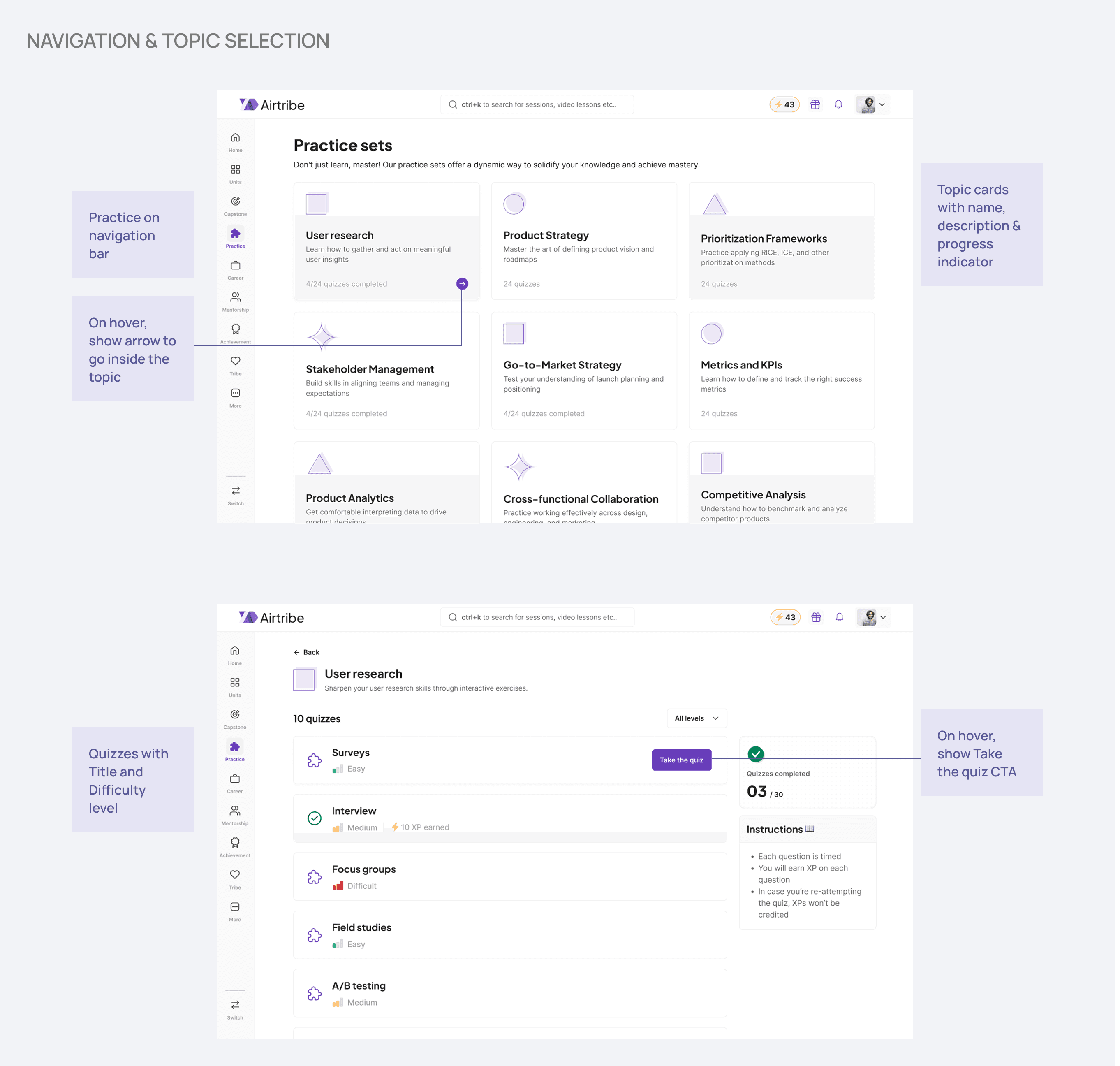
Topic cards with progress tracking so learners always know where they stand and what they are practicing.
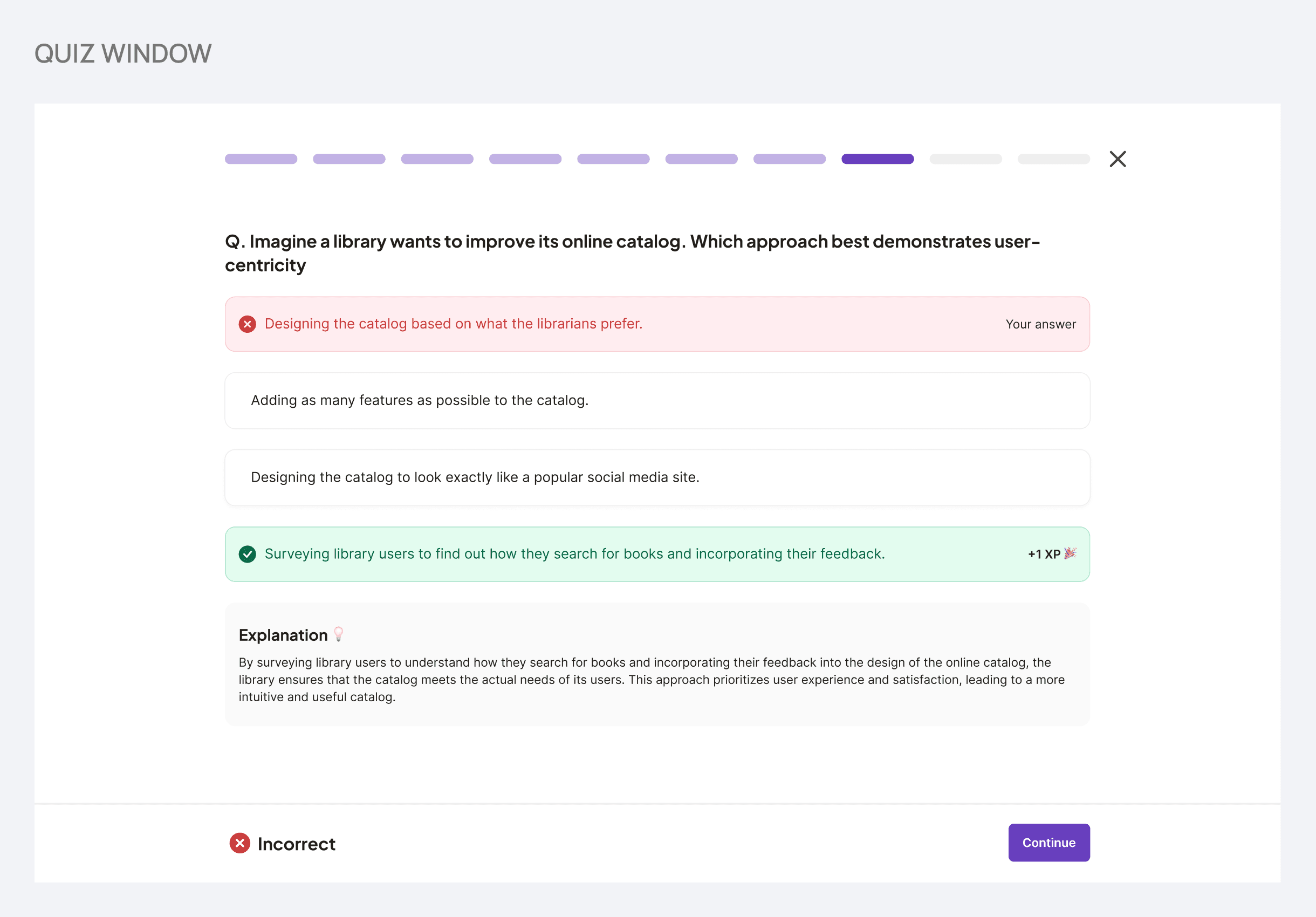
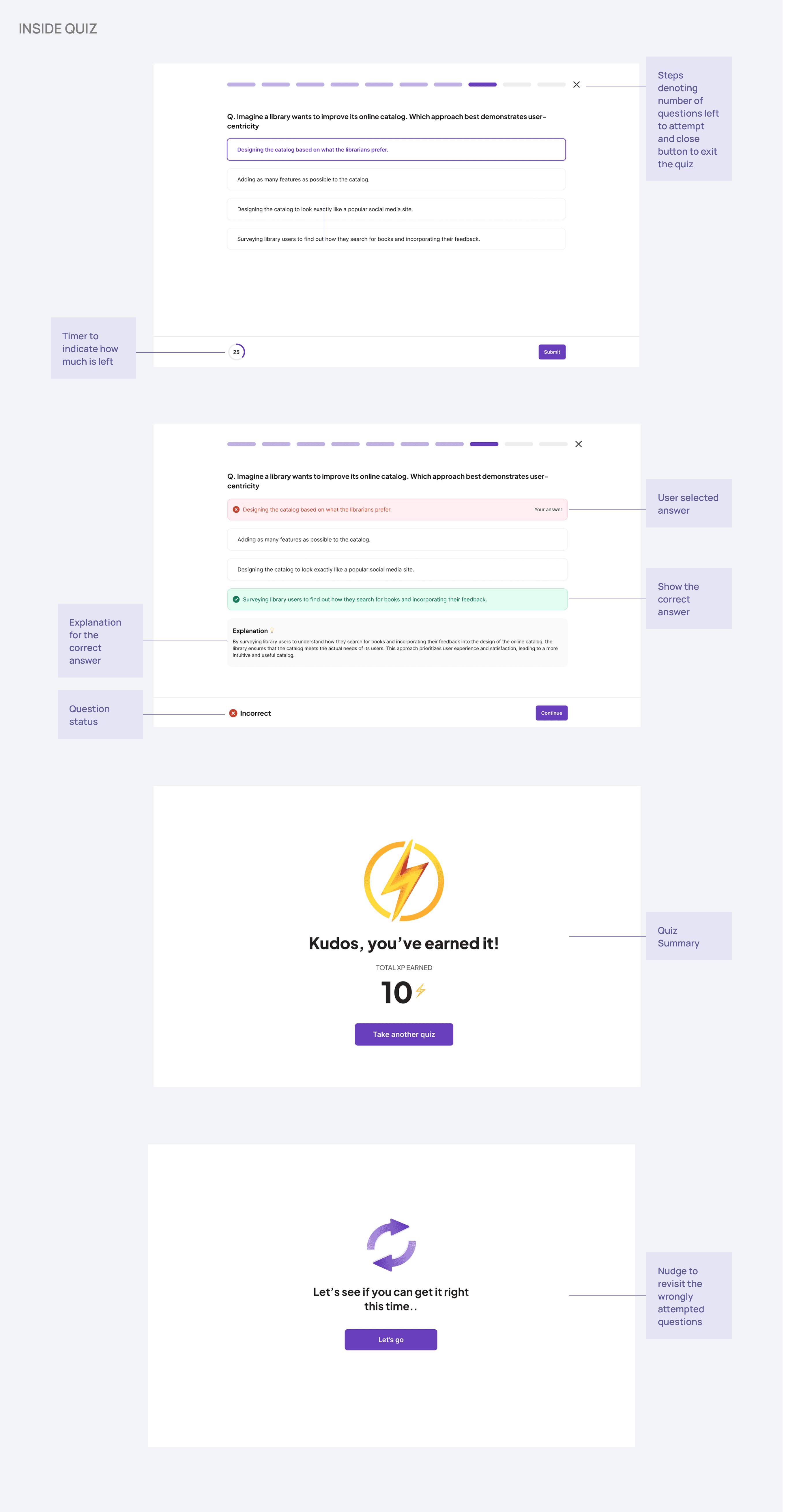
Timed questions with immediate feedback so learners understand not just what's right, but why.
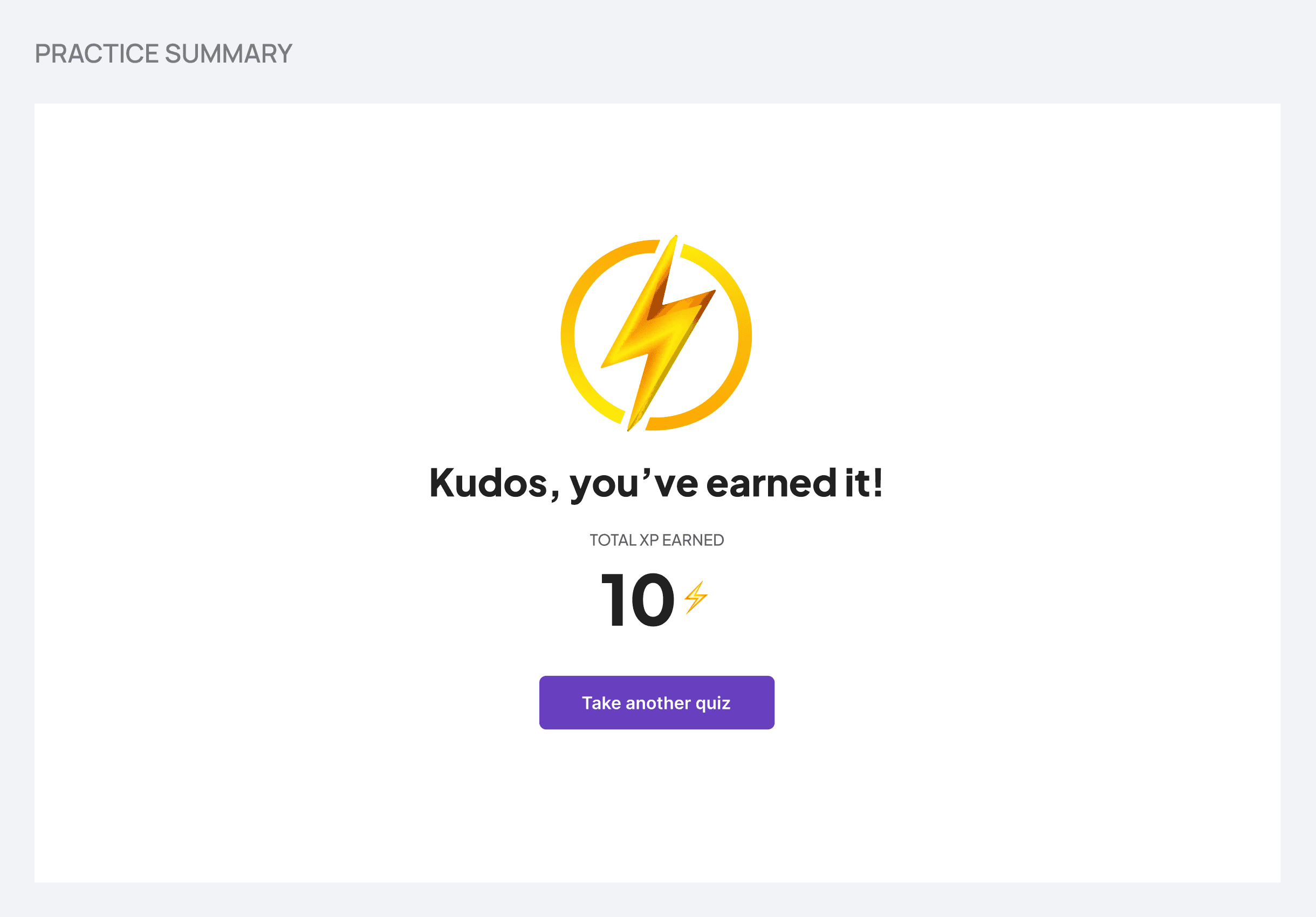
A clear end-of-quiz summary that keeps the learning loop going.
OUTCOME
Practice Sets shipped and became a regular part of how learners prepared. 35% of the May 2024 cohort actively used it within the first two weeks of launch. Feedback from a community survey pointed to a meaningful increase in confidence heading into interviews.
PROBLEM
Understanding the problem & gap
Learners felt confident after sessions and had access to notes, but struggled to recall and apply domain concepts during real interviews. The learning and experience team kept hearing this repeatedly.
The missing piece
There was no structured way to test understanding or learn from mistakes. Notes existed, but practice didn't.
Why it matters
Interview success drives learner satisfaction and word-of-mouth growth for the platform. Closing this gap was a high-priority business opportunity.
GOAL
Design practice sets so learners can actively test their skills and get fundamentals right before interviews. Make the practice experience easy to follow so learners can build real confidence, not just passive familiarity.
COMPETITIVE ANALYSIS
Learning from other platforms
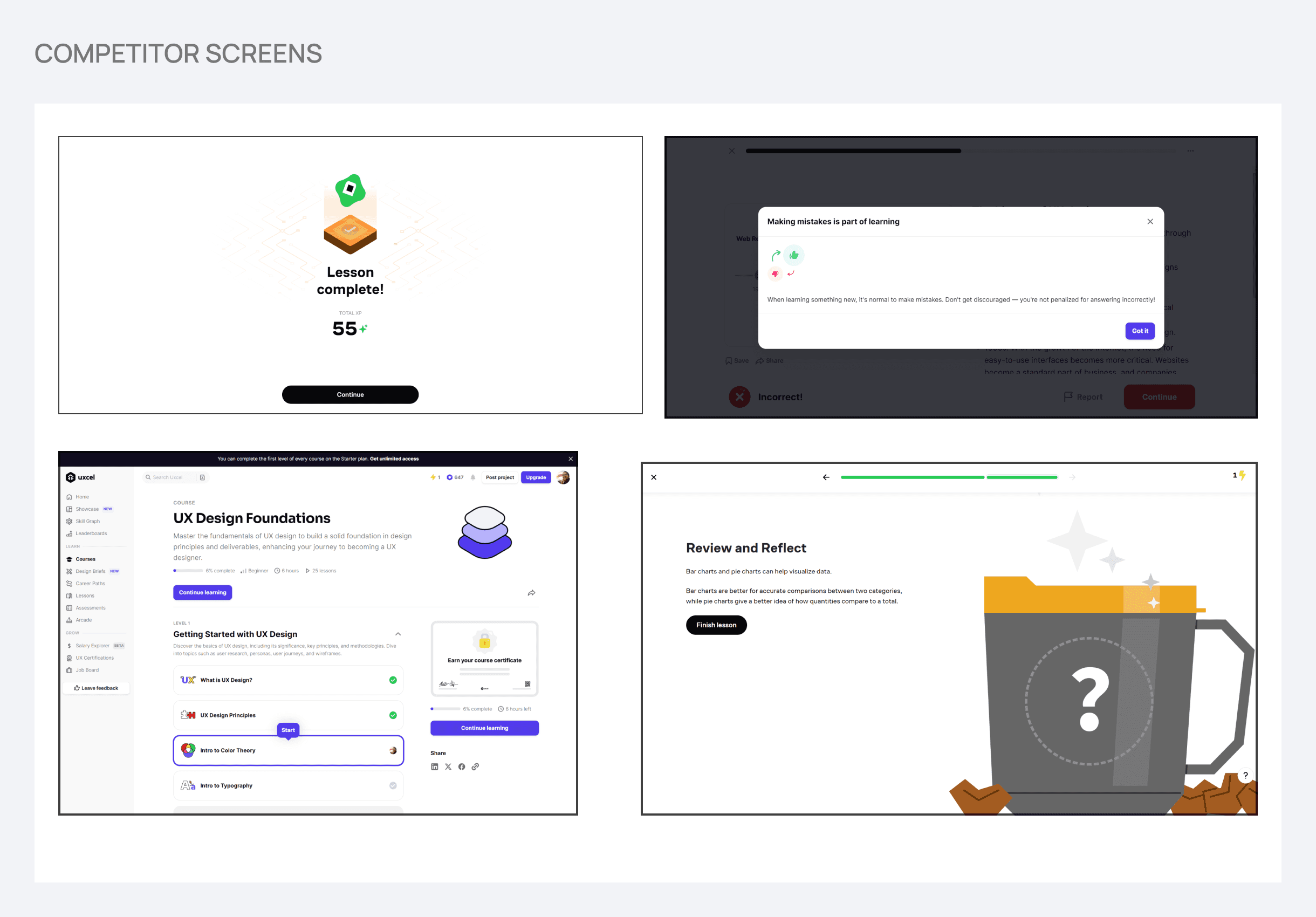
Before jumping into solutions, I ran a competitive analysis across platforms that already do practice-based learning well: Khan Academy, Brilliant, Duolingo, Codecademy, Pluralsight, EdApp, Uxcel, and Quizizz.
Gamification, but done carefully
These platforms used points and progress to keep learners engaged, but rewards never overshadowed the actual learning. This informed how XP was structured in Practice Sets: awarded only on the first correct attempt, so motivation stays tied to understanding, not gaming.
Practice as levels, not a single dump
Breaking practice into structured, digestible levels kept users progressing without feeling overwhelmed. This became the foundation for the topic-based, difficulty-tiered quiz structure.
Explanations after every answer
The strongest signal for retention was immediate, contextual feedback. Not just right or wrong, but why. This became a non-negotiable part of the design.
IDEATION & CONSTRAINTS
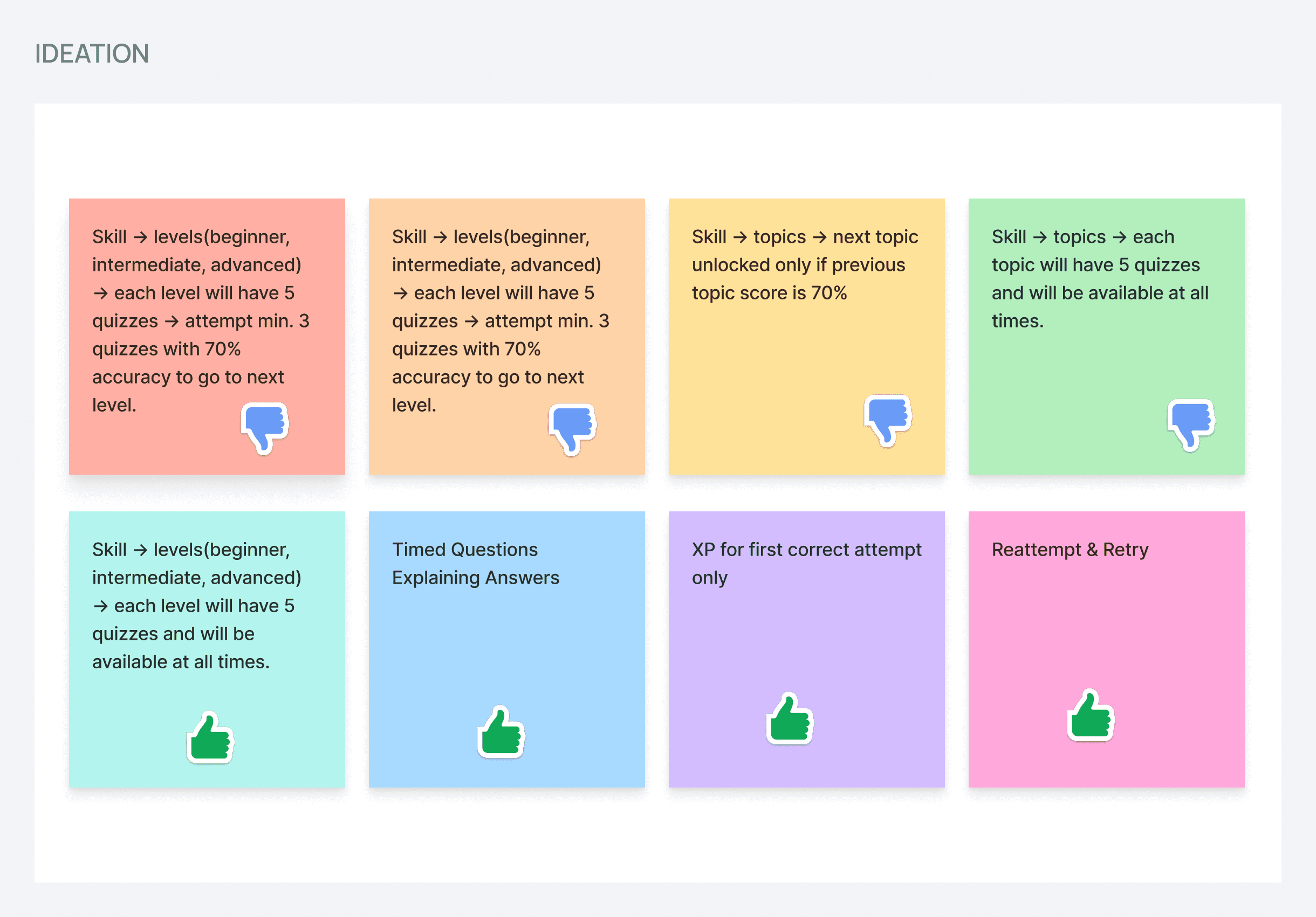
After research, I went into an open brainstorm to generate as many ideas as possible before narrowing down. This was followed by a stakeholder discussion with the Lead Product Designer, Product Engineers, and Co-founder to align on what was feasible and valuable.
Exploring different structures
❌ Locked progression (complete one level to unlock the next)
Learners would need to score 70% on at least 3 quizzes before advancing to the next level. This was discarded because it created blockers. A learner who already knew basics and intermediate might want to jump straight to advanced. Others might get stuck on one level and never progress.
Topics would unlock one by one based on 70% accuracy in the previous topic. This was discarded for similar reasons: learners could get frustrated being unable to move forward, and creating quizzes for every single topic required too much content work for V1.
❌ Open access to all topics, 5 quizzes each
All topics available at once, but this required a massive question bank with shuffled questions to prevent cheating. Creating that much content upfront wasn't feasible for V1, hence it was discarded.
✅ Open access to all difficulty levels
Each skill has three difficulty levels (Basic, Intermediate, Expert), all available from the start. Learners can practice at the right challenge without blockers. This approach balanced learner flexibility with realistic content creation for V1.
Navigating constraints
The biggest constraint was content. The team didn't have the bandwidth to create a large quiz library from scratch before launch. The solution: partner with mentors to source questions, and launch with a smaller, curated set. This "launch lean, learn fast" approach let us validate the concept with real users before scaling.
Features decided in this phase
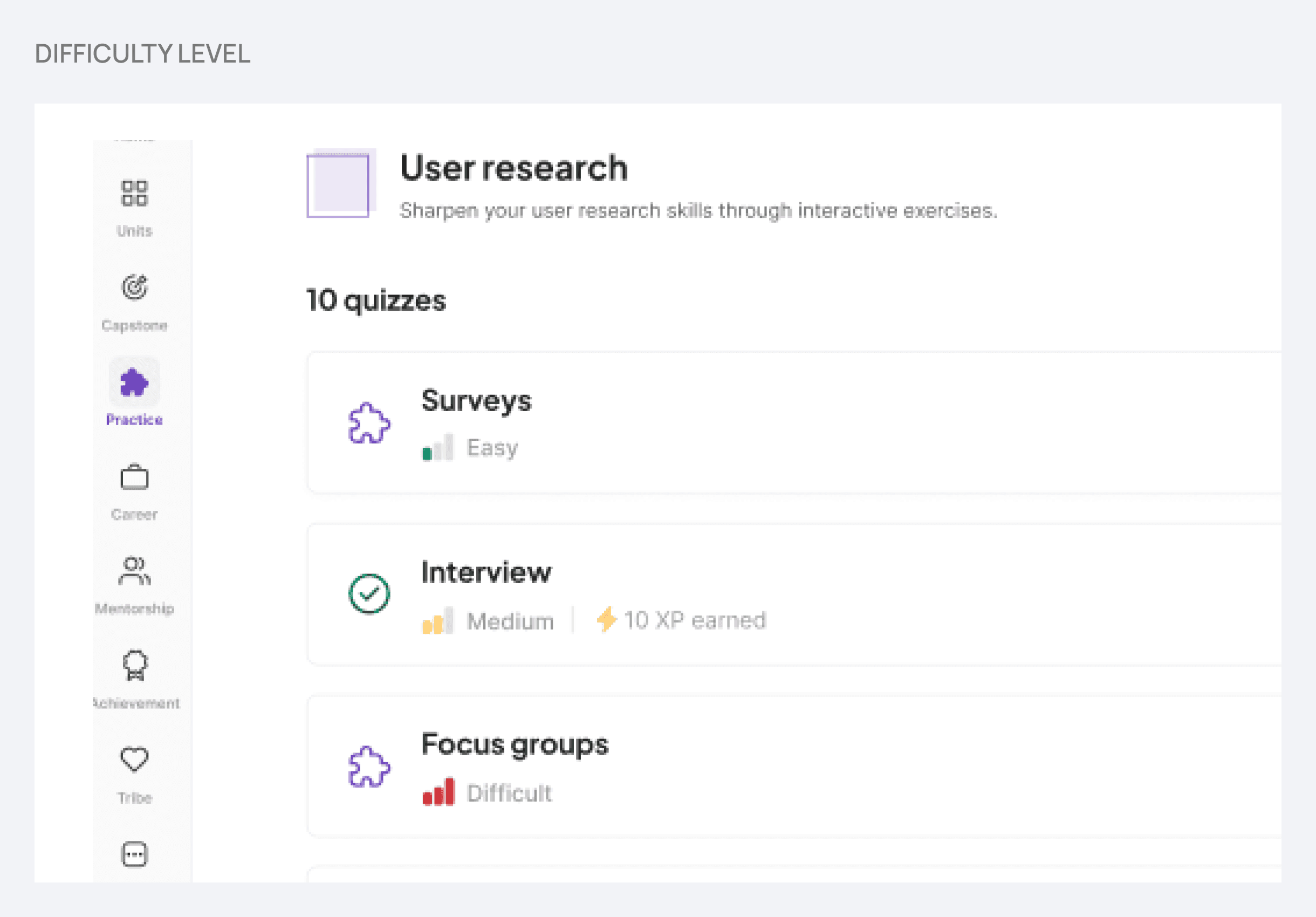
Difficulty levels (Basic, Intermediate, Expert)
Learners aren't all at the same stage. Offering all levels from the start meant everyone could practice at the right challenge without getting blocked.
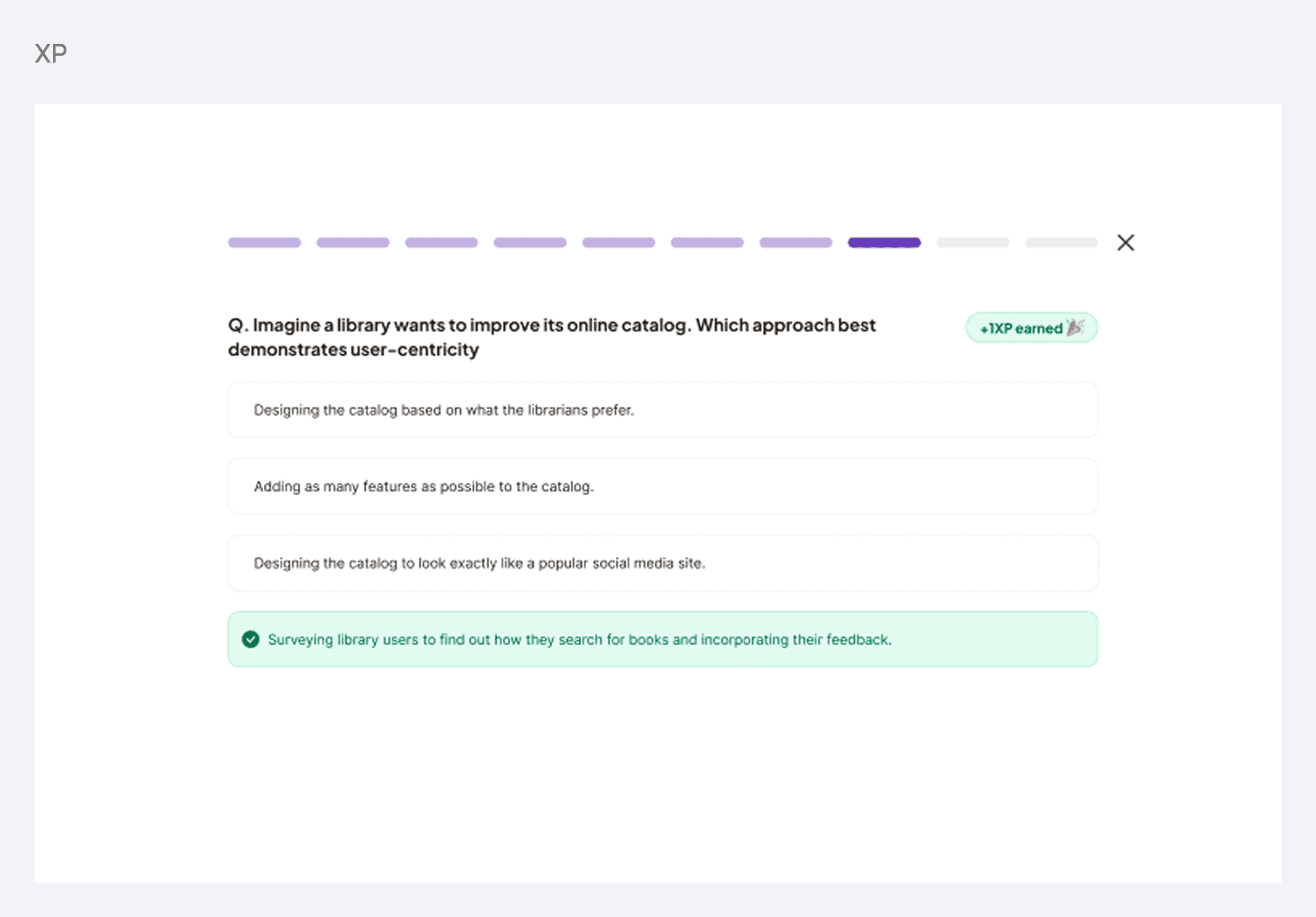
XP on first correct attempt only
Keeps motivation real. Reattempts are encouraged for learning, but XP isn't awarded again, so the system can't be gamed.
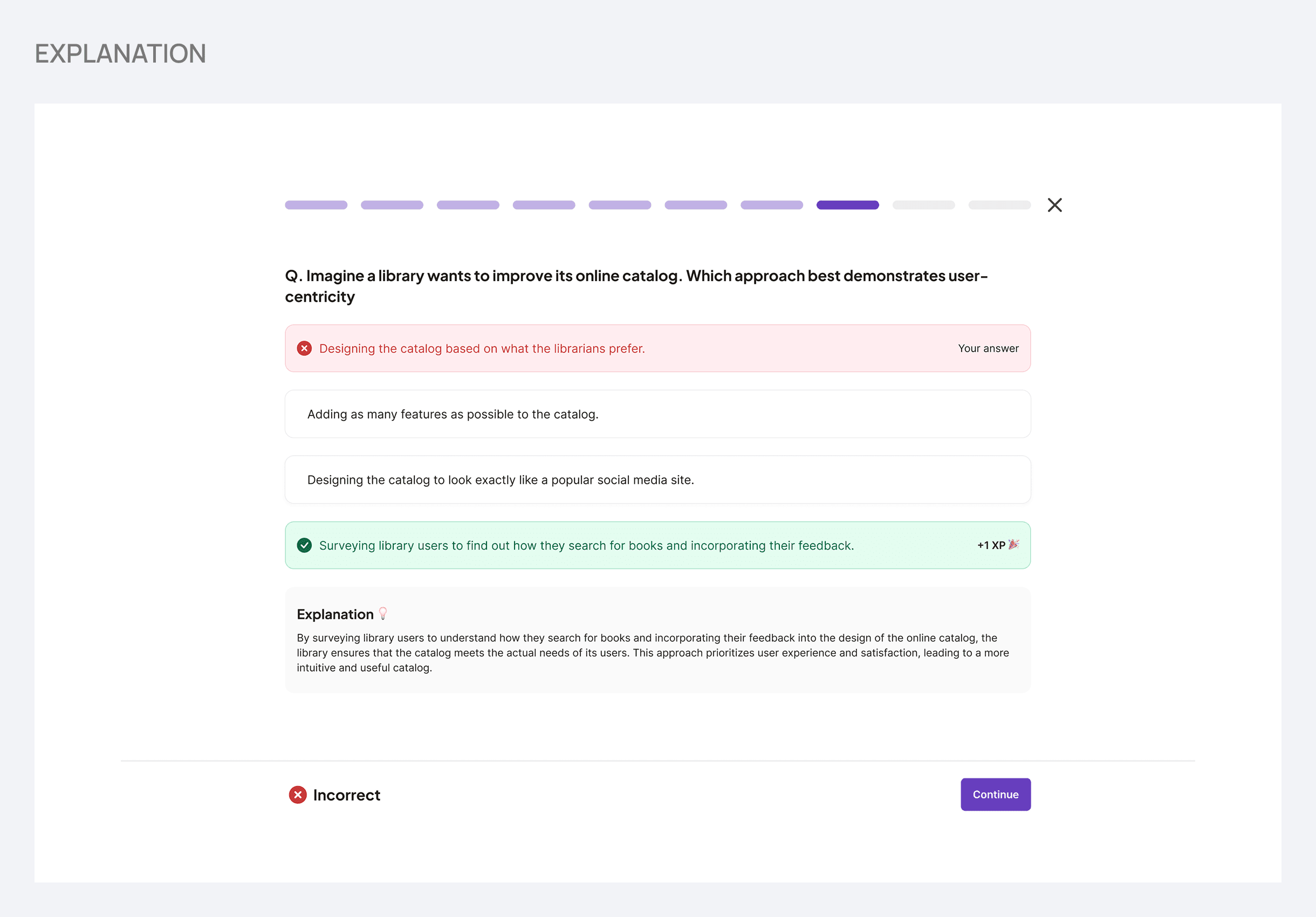
Explanations after every answer
Learning happens when you understand why, not just whether you got it right.
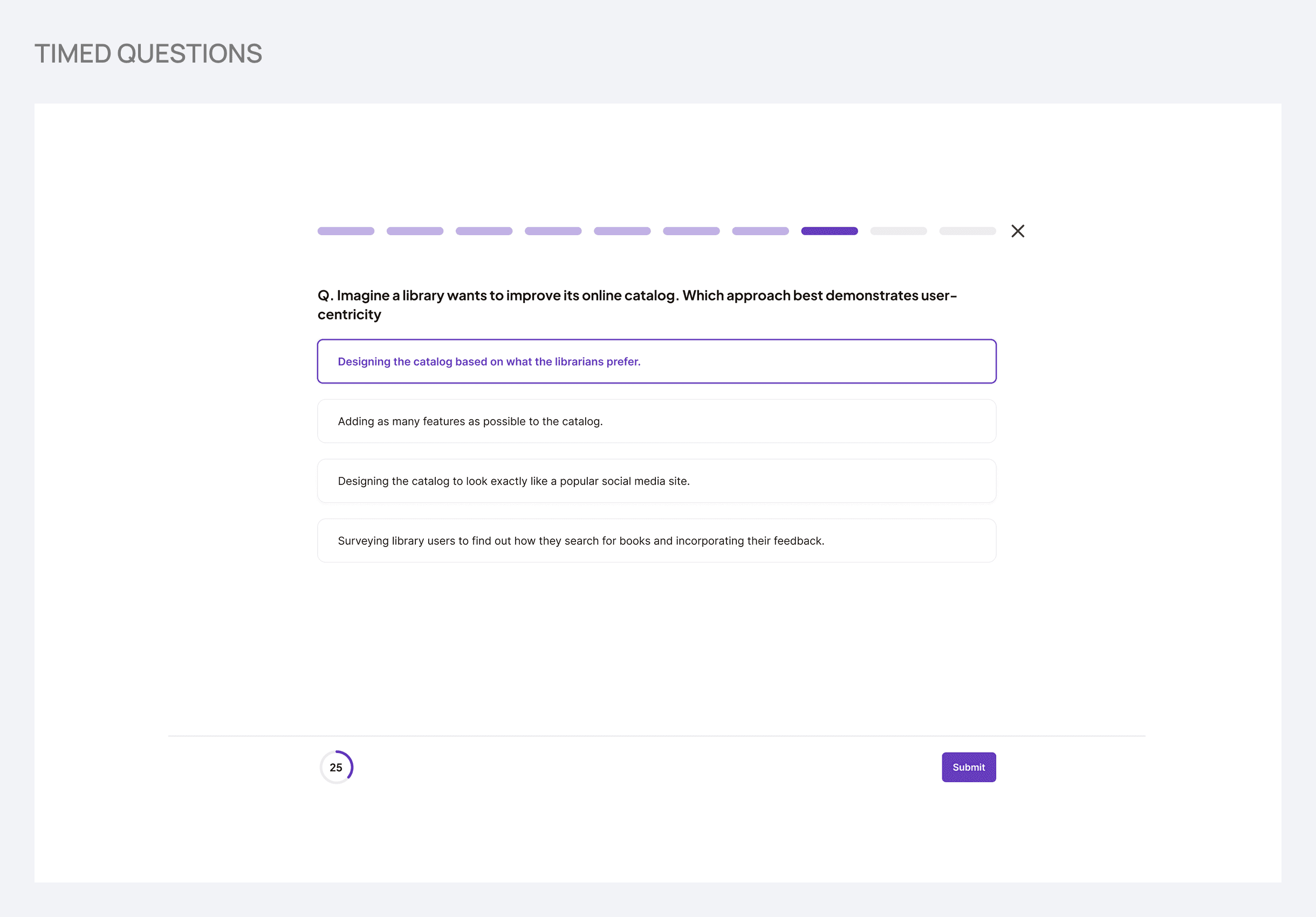
Timed questions
Gently simulates interview pressure. Reduces the chance of answer lookups and prepares learners for the real thing.
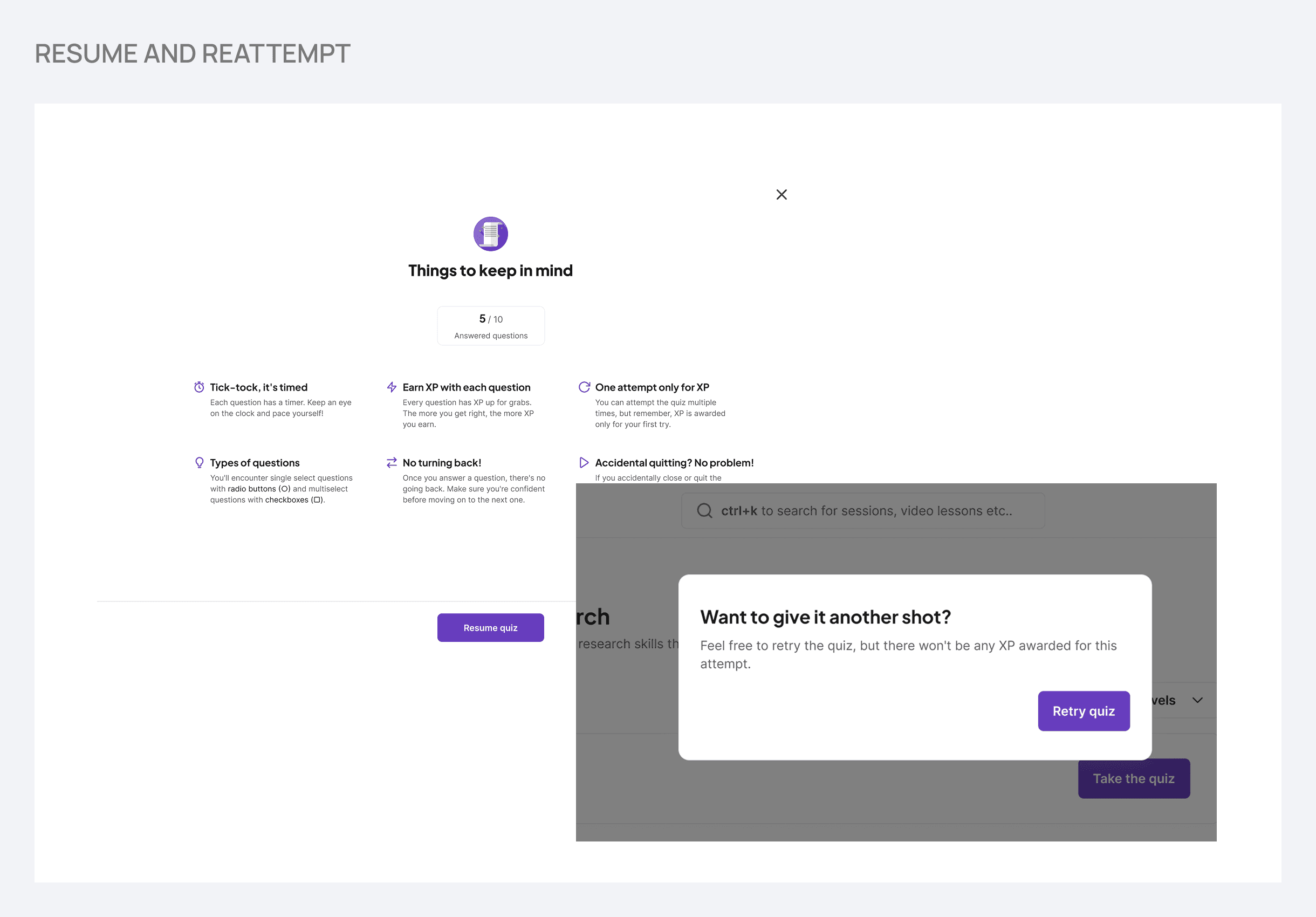
Resume and reattempt support
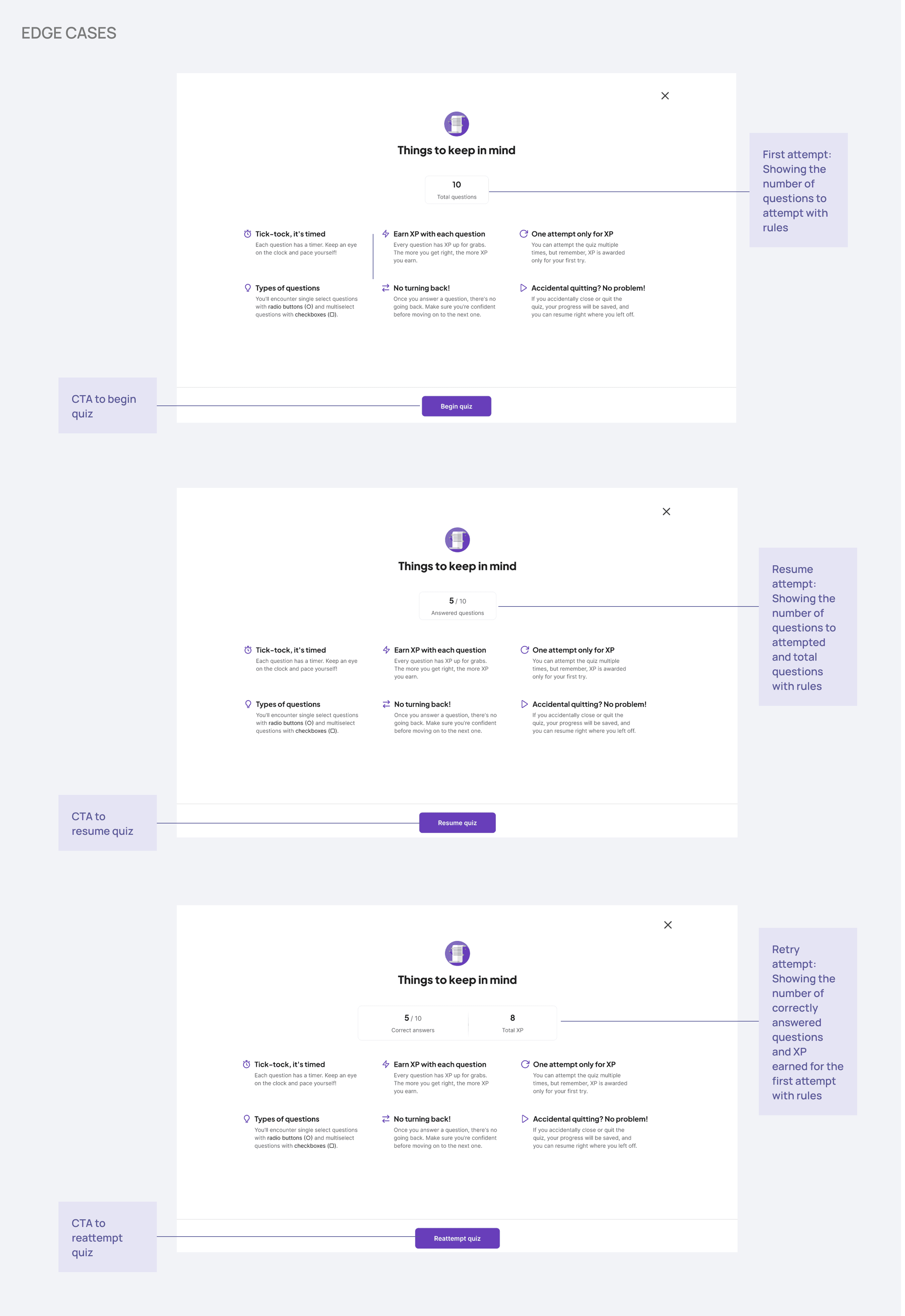
Life is busy. Learners can leave mid-quiz and come back without losing progress. Reattempts are open but clearly flagged as no-XP.
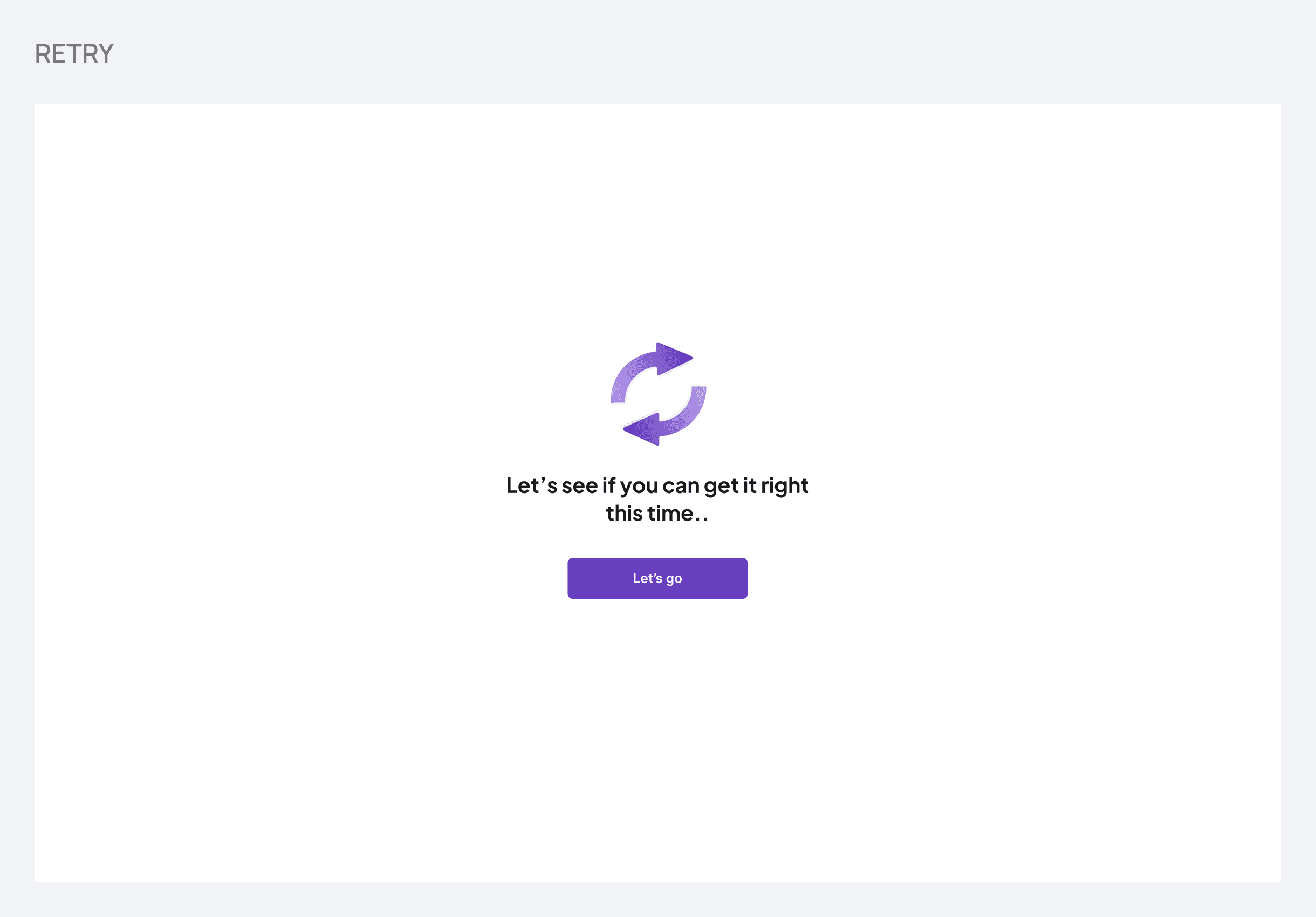
Retry incorrect answers in the same attempt
If a learner gets something wrong, they see the explanation and get another shot immediately. This reinforces understanding before moving on.
DESIGNS
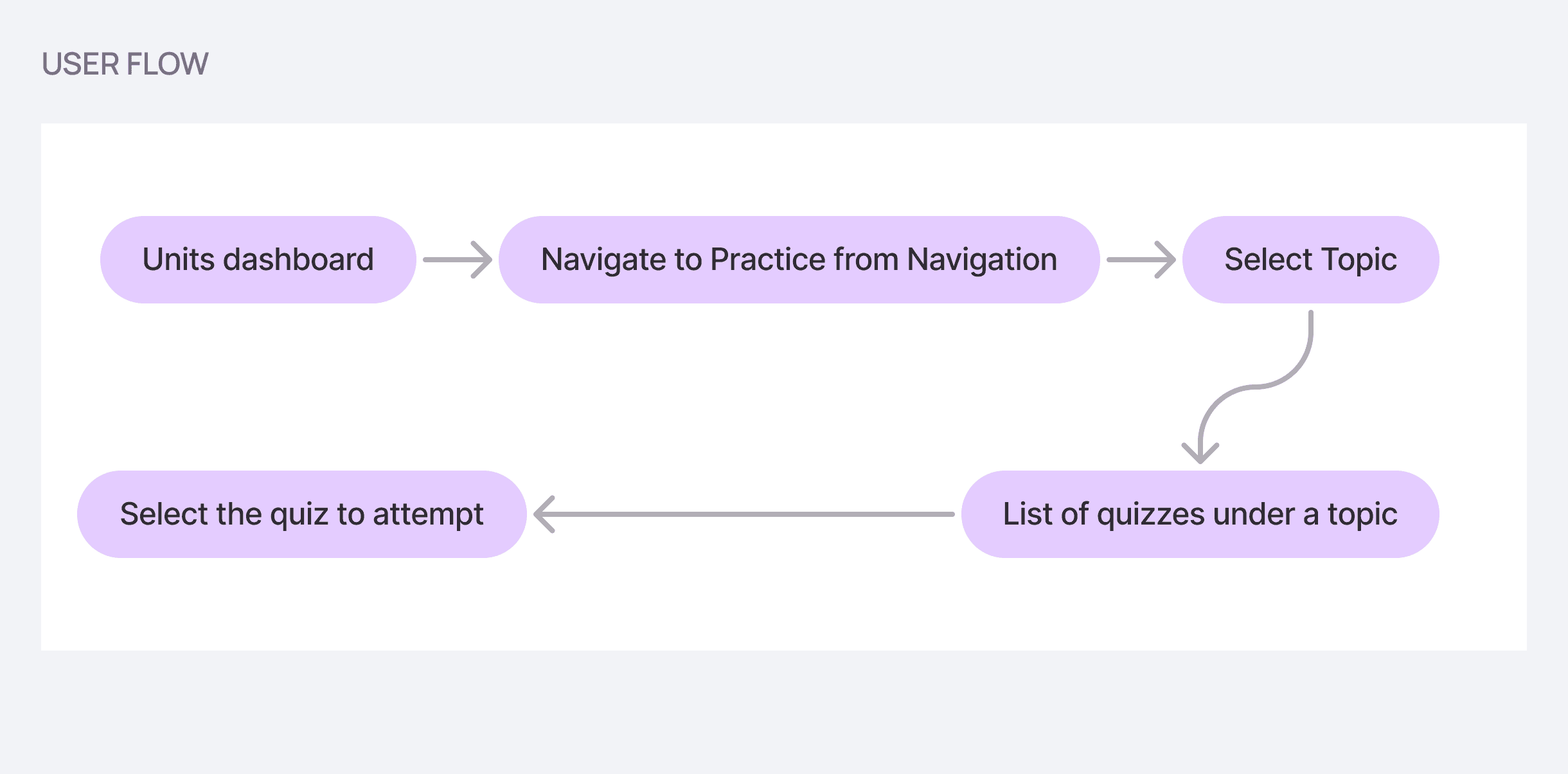
Before designing screens, I mapped out the full user flow and thought carefully about edge cases. What happens if a learner leaves midway? What if they want to reattempt just for XP? What does the timeout state look like? Getting these right early saved a lot of back and forth later.
Navigation & Topic Selection
Learners access Practice Sets from the main navigation bar. The Practice Sets page shows topic cards, each with a name, description, and a progress indicator showing how many quizzes have been completed. This meant learners always knew exactly where they stood without hunting for it.
Inside the quiz
Why show a timer on every question?
Interviews are timed and high pressure. A countdown gently introduces that pressure in a safe, low-stakes environment. It also reduces the chance of learners looking up answers, which would defeat the purpose of practicing.
Why let learners retry wrong answers in the same attempt?
Simply marking something wrong and moving on doesn't build understanding. By letting learners see the explanation and try again immediately, the design reinforces the concept before they move to the next question. XP isn't awarded for these retries, keeping it honest.
Why show a performance summary at the end?
Learners need a clear, quick snapshot of how they did. The summary shows correct answers, XP earned, and flags any questions they got wrong, with a nudge to practice those again. This closes the loop and keeps the learning cycle going.
Edge Cases
First attempt vs. resume vs. reattempt each have distinct screens and logic. The quiz listing page shows different action buttons depending on state (take, resume, or reattempt) and these are never shown simultaneously. The reattempt flow clearly communicates upfront that no XP will be awarded.
IMPACT & OUTCOMES
After launch, Practice Sets became a regular part of how learners prepared. 35% of learners in the May cohort actively used Practice Sets within the first two weeks of launch, a significant shift from the previous pattern of passively reading notes. This was tracked by monitoring usage in the following cohort.
To understand the impact beyond usage, the community manager posted a survey on the server asking learners about their experience and confidence. Feedback pointed to a meaningful increase in confidence heading into interviews. Learners reported feeling more prepared to answer questions on the spot, which is exactly the gap the feature was designed to close.
REFLECTIONS
What I learned
Think in systems, not just screens
Designing Practice Sets meant thinking about motivation loops, edge cases like resume and reattempt flows, and long-term learning behavior. Individual screens only make sense when the system behind them is solid.
Safe failure is a feature, not a bug
Letting learners get things wrong, see why, and try again without penalty created an environment where real learning could happen. Designing for mistakes was just as important as designing for success.
Constraints shaped the strategy
Limited content resources forced a lean launch with mentor-sourced questions. This turned a limitation into a feature: a smaller, curated set let us get real feedback fast and iterate before scaling.
Edge cases are where the real design happens
The bulk of the design work wasn't the happy path. It was figuring out what happens when a learner leaves mid-quiz, reattempts just for XP, or times out. Thinking through these early made the final product feel polished and trustworthy.